Construction & Engineering · Updated October 6, 2026
What is the best Bluebeam alternative for PDF markup and takeoff?
Reviewed for technical accuracy by licensed professional engineers.
Short answer
The best Bluebeam alternative is the one that keeps the workflows you rely on — calibrated measurement, takeoff, drawing comparison, punch lists, and team collaboration — while removing the desktop install and adding AI. PDFDepth does the same core jobs in the browser: calibrate and measure, run AI-assisted takeoffs, compare drawing revisions, pin comments and assignments, review plan sets with cited findings, and share tracked links — on any device, with AI built in.
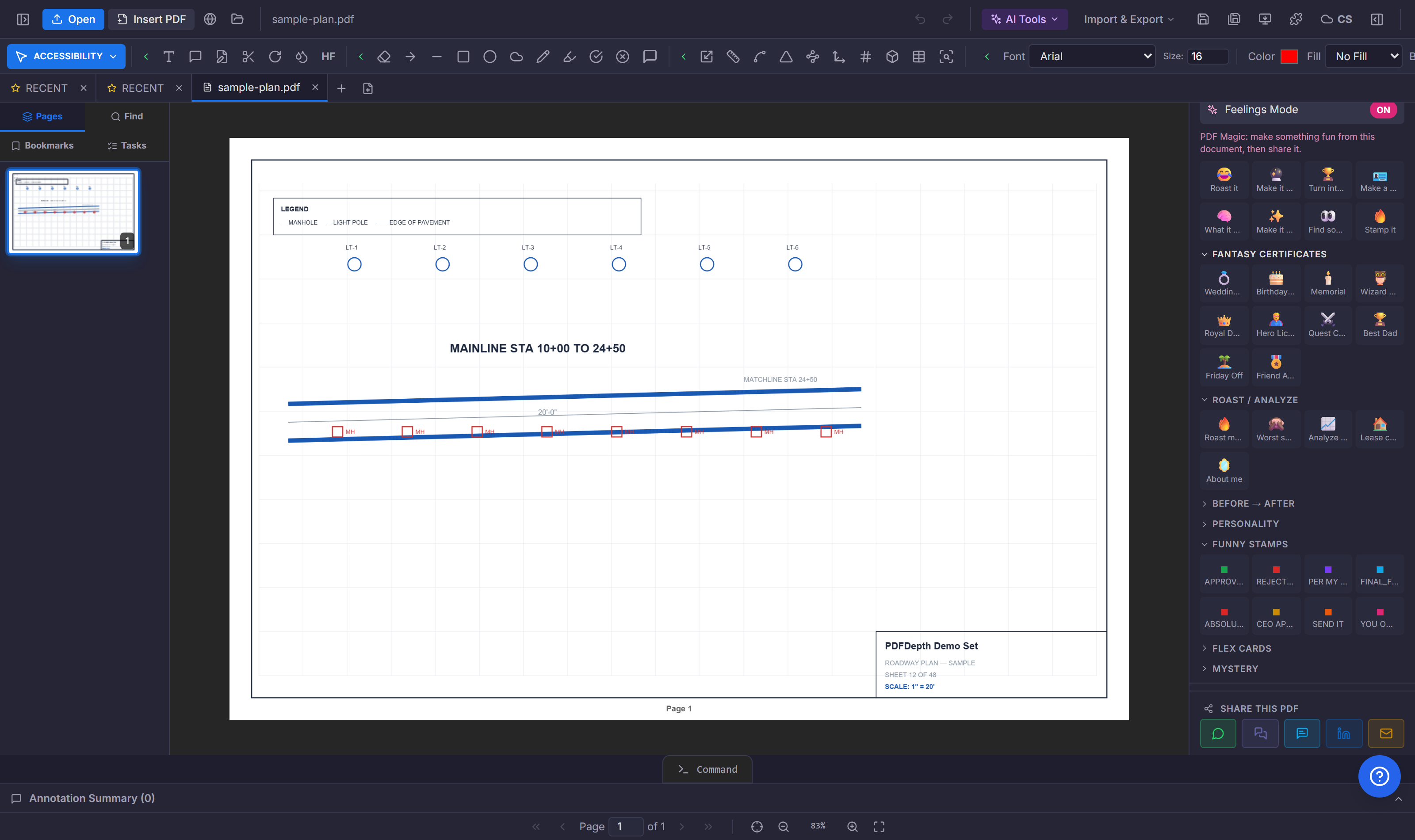
What a desktop markup suite gives you — and what it costs
The established desktop plan-markup suites are genuinely good software. They offer a deep tool chest of markups, calibrated measurements, custom columns and formulas for takeoff, Studio-style collaboration sessions, and years of installer polish. Teams have built entire estimating and review workflows on them.
The trade-offs are structural, not cosmetic: a Windows-centric desktop install per seat, a subscription license per seat, files that live on local machines or shared drives, collaboration that depends on hosted sessions, and AI features that arrive slowly if at all. For a team that lives in a trailer, on a plane, or on a phone at the job site, "install the app first" is a real cost.
The browser-native alternative
PDFDepth runs entirely in the browser. Open a plan set on a tablet at the site, a laptop at home, or a phone in a meeting — nothing to install, nothing to license per machine. Markup, measurement, takeoff, comparison, and review all work on the same file in the same window.
Because it is browser-native, sharing is a link, not a file transfer. Smart links open a read-only viewer for anyone — no account needed — with optional password, expiry, and email gate, and per-viewer analytics that show who looked at which pages and for how long.
Where AI changes the math
The feature that separates an AI-native tool from a ported one is not a chatbot bolted on the side. It is AI inside the workflow: a takeoff that detects and counts repeated symbols instead of clicking each one, a plan review that cites the sheet and callout where it found a problem, a chat that answers questions about the spec book with page references, and a semantic search that finds a concept rather than a keyword.
PDFDepth also includes tools the desktop suites do not have at all: a CAD command line with vector snapping that exports DXF, magic-layer object detection that lifts objects off a page into editable layers, certificate-based digital signatures, and a canvas mode for producing branded documents, forms, and graphics that export as real PDFs.
A fair comparison
A desktop suite still wins if your firm needs its specific Studio-session workflow, deeply customized tool-chest profiles shared across hundreds of seats, or existing integrations built on its API. The honest answer is that many teams keep both: the desktop suite for the estimators who live in it, and the browser tool for everyone else — the PMs, supers, architects, and owners who need to mark up, review, and sign documents without a dedicated install.
| Capability | Desktop suite | PDFDepth |
|---|---|---|
| Install | Per-seat desktop install | Browser — nothing to install |
| Platform | Primarily Windows | Any device with a browser |
| Pricing model | Per-seat subscription | Single annual Pro plan |
| Measurement | Calibrated takeoff tools | Calibrated distance, area, perimeter, count, volume |
| AI takeoff | Limited or absent | Symbol detection, counts, parameter extraction |
| Drawing comparison | Overlay comparison | Synced side-by-side, vector diff, slip-sheet revisions |
| Collaboration | Hosted sessions | Real-time comments, roles, version history |
| Sharing | File export or sessions | Tracked smart links with analytics |
| Signatures | Digital IDs | Certificate-based signing plus Smart Forms |
| CAD handoff | Import markups | Vector extraction to DXF, DWG import, CAD command line |
References
Everything in this article runs in the live PDFDepth workspace — the same app the workflows above were verified against.
Key takeaways
- The right alternative keeps calibration, takeoff, comparison, and collaboration — and removes the install.
- Browser-native means the same tools on a site tablet, a home laptop, or a phone.
- AI takeoff, AI plan review, and semantic search are native, not add-ons.
- Many teams run both: desktop for estimators, browser for everyone else.
Related questions
PDFDepth offers a free 14-day trial of the full workspace, including takeoff and review tools, with no install required.
Do it in PDFDepth
In the app: Left panel → Tools → Measure, or AI Tools → Takeoff
Try it free — no signup, no upload
Related articles
Put it into practice
Everything above runs inside the PDFDepth workspace — free for 14 days, no credit card.
Start for Free