Construction & Engineering · Updated October 6, 2026
What does construction plan review software actually check?
Reviewed for technical accuracy by licensed professional engineers.
Short answer
Construction plan review software reads a drawing set and flags problems — missing dimensions, conflicting callouts, code violations, incomplete details — before they become RFIs and change orders. PDFDepth runs an AI plan review that cites the sheet and callout where it found each issue, applies QC stamps through a five-step chain, tracks review comments and assignments, and keeps a full version history of every submitted revision.
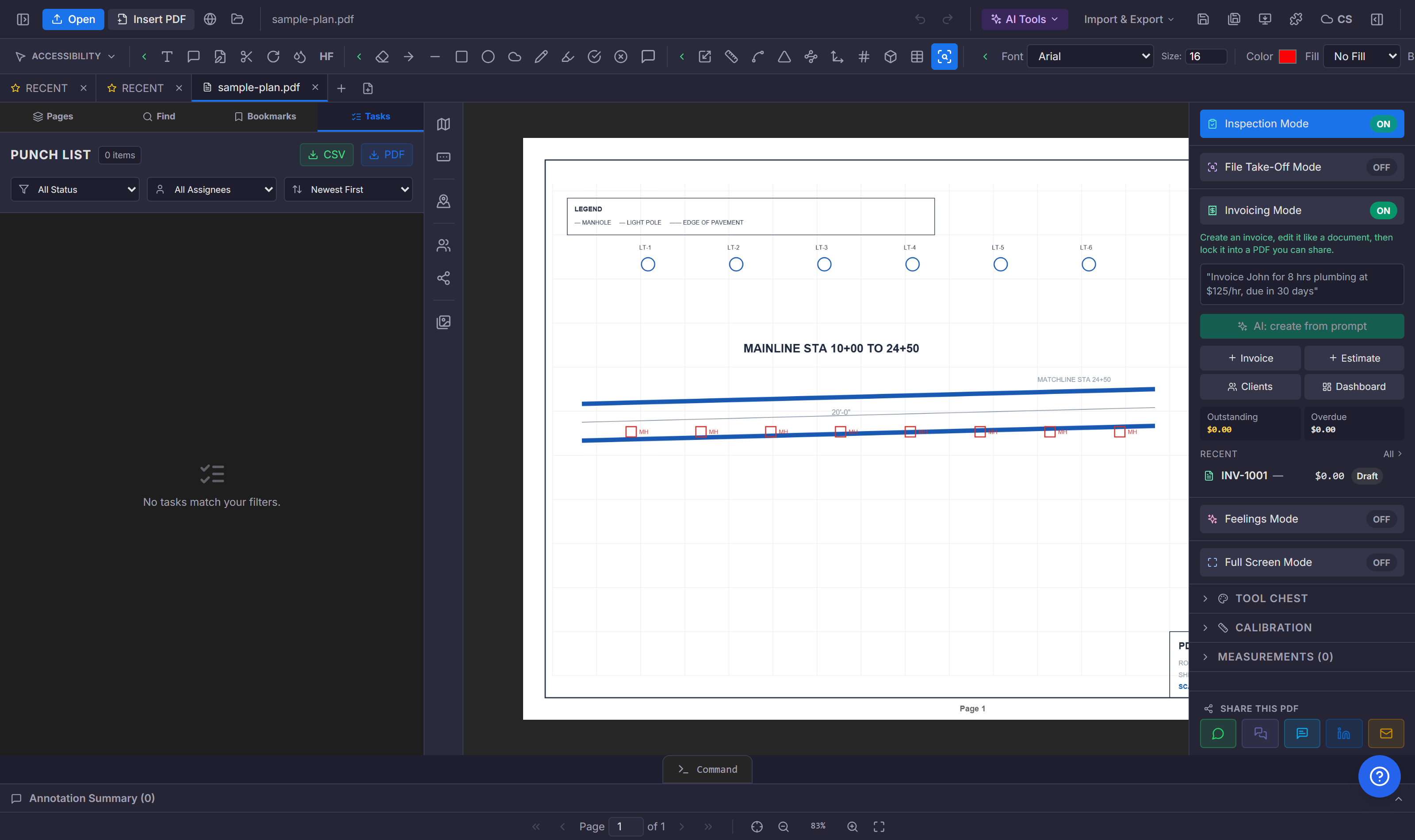
What the review catches
A plan review reads the set the way a reviewer would, but faster and more consistently. It flags missing or conflicting dimensions, callouts that reference the wrong detail, notes that contradict the schedule, and items that violate the rule packs you load — FDOT Standard Plans Instructions, IBC 2021, or a custom set. Every finding cites the sheet, callout, and note it came from, so the reviewer verifies the finding rather than trusting it.
The QC stamp chain
Review is not a single click — it is a workflow. PDFDepth runs a five-step QC chain: check, correct, verify, approve, and submit, each with its own stamp and assignee. A sheet does not move to the next step until the current one signs off. The stamps live on the PDF itself, so the record travels with the file to the next reviewer, the AHJ, or the owner.
Comments and assignments on the sheets
Review findings are not a separate report you email around. Comments pin directly to the sheet or to a specific markup, with an assignee and a due date. The open-item filter shows what is still outstanding; resolve and reopen track the conversation to closure. Assignments show up in the assignee list so nobody asks "did you see my note on sheet A-401?"
Version history on a living document
Plan sets change. When a revision comes back, save the previous version first — named, dated, restorable. Compare the new revision against the old to see exactly what moved, or slip-sheet the revised page under the existing markups so nothing is lost. The version history is the audit trail: who approved what, and when.
| Stage | What happens | Who |
|---|---|---|
| Check | AI review + manual markup | Reviewer |
| Correct | Revised sheets uploaded | Design team |
| Verify | Findings resolved or reopened | Reviewer |
| Approve | QC stamp applied | Approver |
| Submit | Locked, versioned, shared | PM |
References
Everything in this article runs in the live PDFDepth workspace — the same app the workflows above were verified against.
Key takeaways
- AI plan review cites the sheet and callout for every finding — verify, do not trust.
- The five-step QC stamp chain records who checked, corrected, verified, and approved.
- Comments pin to the sheet with assignees and due dates; nothing gets lost in email.
- Save a named version before every resubmittal — the history is the audit trail.
Related questions
No — it replaces the tedious part. The AI reads every sheet consistently and flags candidates; the reviewer verifies each cited finding and applies judgment. It is a first pass that never gets tired, not a final stamp.
Do it in PDFDepth
In the app: Right panel → Collaborate Mode → Comments, Version History
Try it free — no signup, no upload
Related articles
Put it into practice
Everything above runs inside the PDFDepth workspace — free for 14 days, no credit card.
Start for Free